MyUT Website Overview
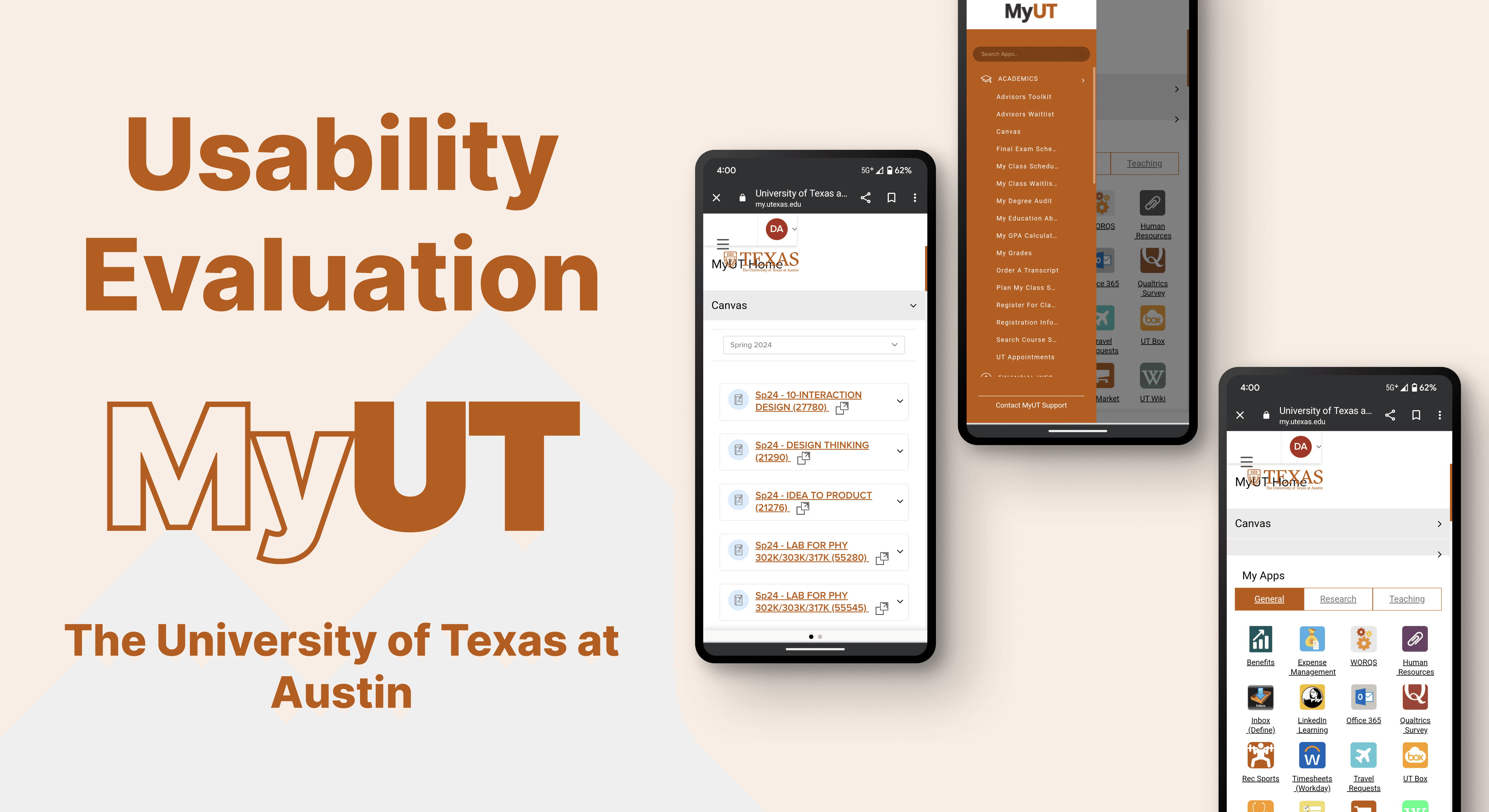
The University of Texas offers a centralized online portal called MyUT. This comprehensive resource serves as the primary source of information for all students, addressing a wide range of inquiries and streamlining access to essential services.
Client Kickoff
From Seed to Success
The project timeline guided our usability evaluation, ensuring milestones and deadlines were met for effective team coordination.

SWOT Analysis
A SWOT analysis was conducted to guide informed decisions and strategies, helping us improve the project's success.
Direct Competitors




In-Direct Competitors

Strength
1. A secure, data-encrypted platform allows students to connect, with an open discussion board for questions. 2. The platform fosters a friendly, free environment for official interest group chats and student interaction.
Weakness
1. Invite only, hard to access on their own. 2. Every chat has their own rules and regulations that user must follow or get risked being banned
Opportunity
1. Advertise the UT official discord page during student events 2. Cooperate with student portal website to increase the use
Threat
1. Other competitors. Reddit for instance, does not require an invite-only system

Discord

Notion

G Maps

G Drive
User Survey
A user survey was conducted to gather feedback on user needs, preferences, and experiences. Analyzing the results helped identify improvement areas and informed data-driven decisions. This process guided us in enhancing the overall user experience.
Frequency of Use
8 Responses
Never
Once a Week
Once a Month
2 (10%)
12 (60%)
6 (30%)
Heuristic Evaluation
Heuristic evaluation helped identify usability issues by applying established usability principles. This assessment provided actionable insights for design improvements. The findings guided our recommendations, resulting in a more user-friendly product.
User Control & Freedom

Consistency & Standard
Violation
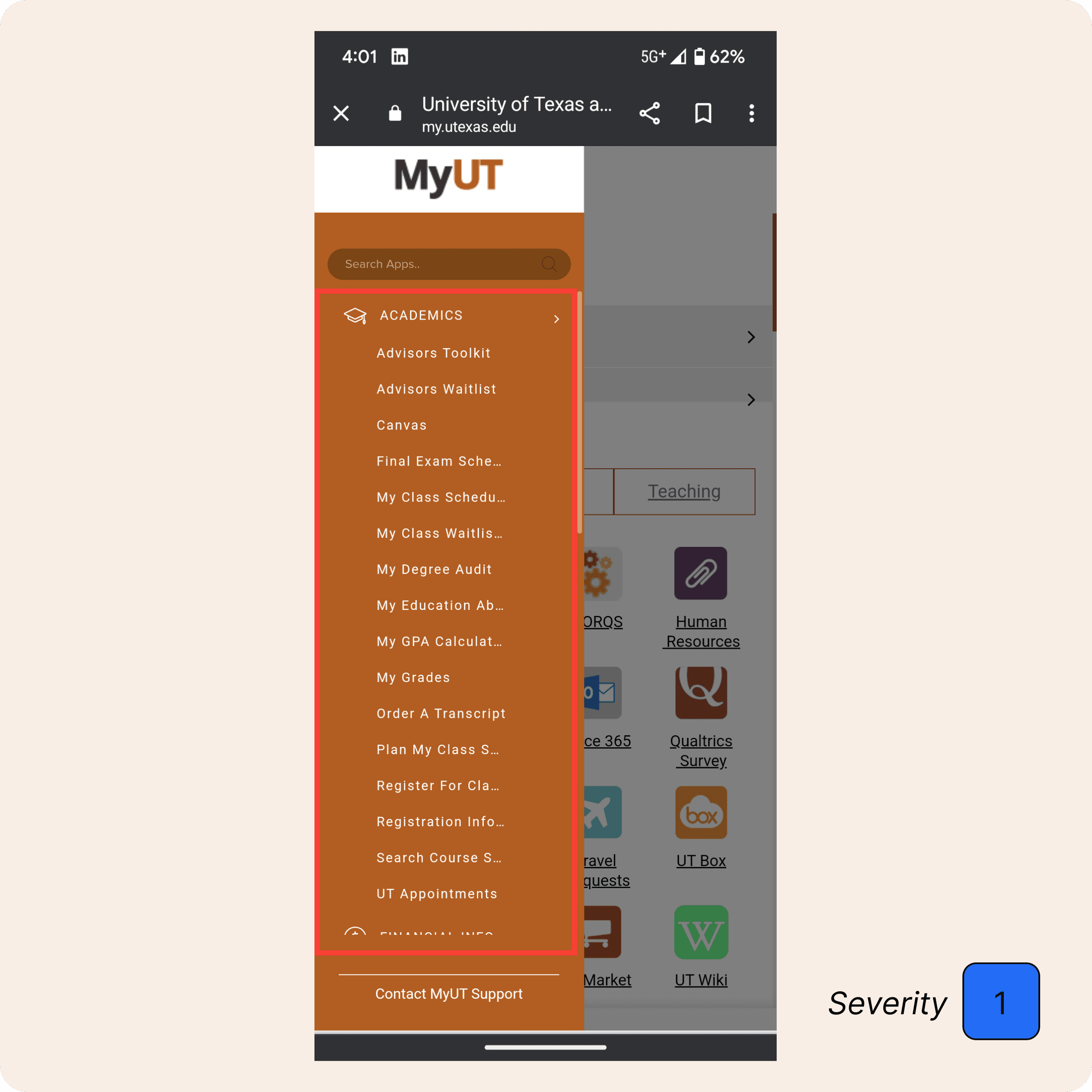
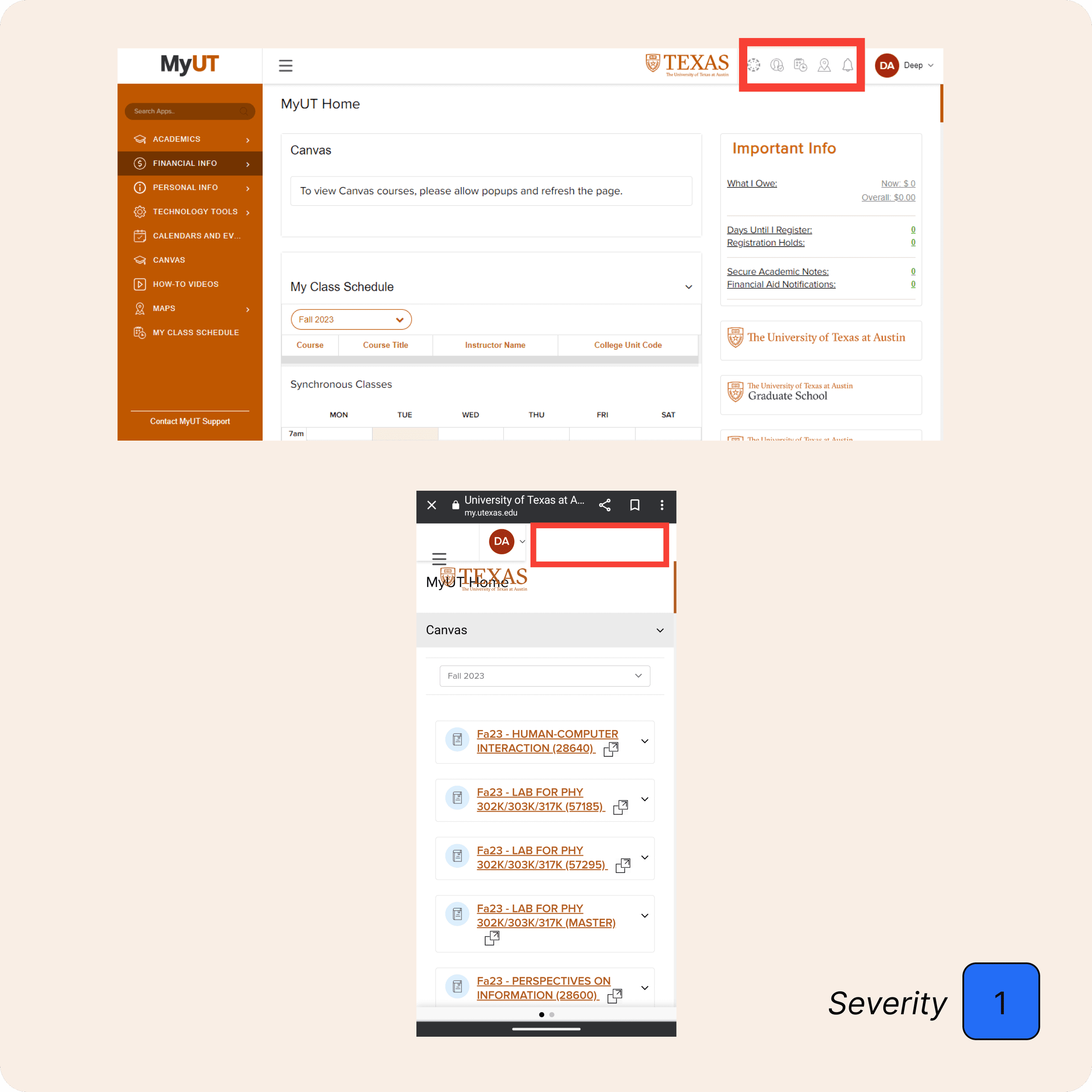
The top-right icon is unclear for first-time users due to ineffective color and placement, and the missing icon bar in the mobile version creates inconsistency, leading to user confusion.
Recommendations
Recommend adding labels to each icon for clearer function identification, adjusting size, color, and weight for better visibility. The school logo should be placed far right, with icons positioned to the left of it for improved layout and consistency.

Flexibility & Efficiency of Use

Task Analysis
Task Analysis allowed us to break down complex tasks into smaller, more manageable steps.
By understanding the user's journey and identifying potential pain points, we were able to optimize the product's design and make it more intuitive and efficient for users.
Task 1
Task 2
Task 3
Task 4
Task 5
Task 6
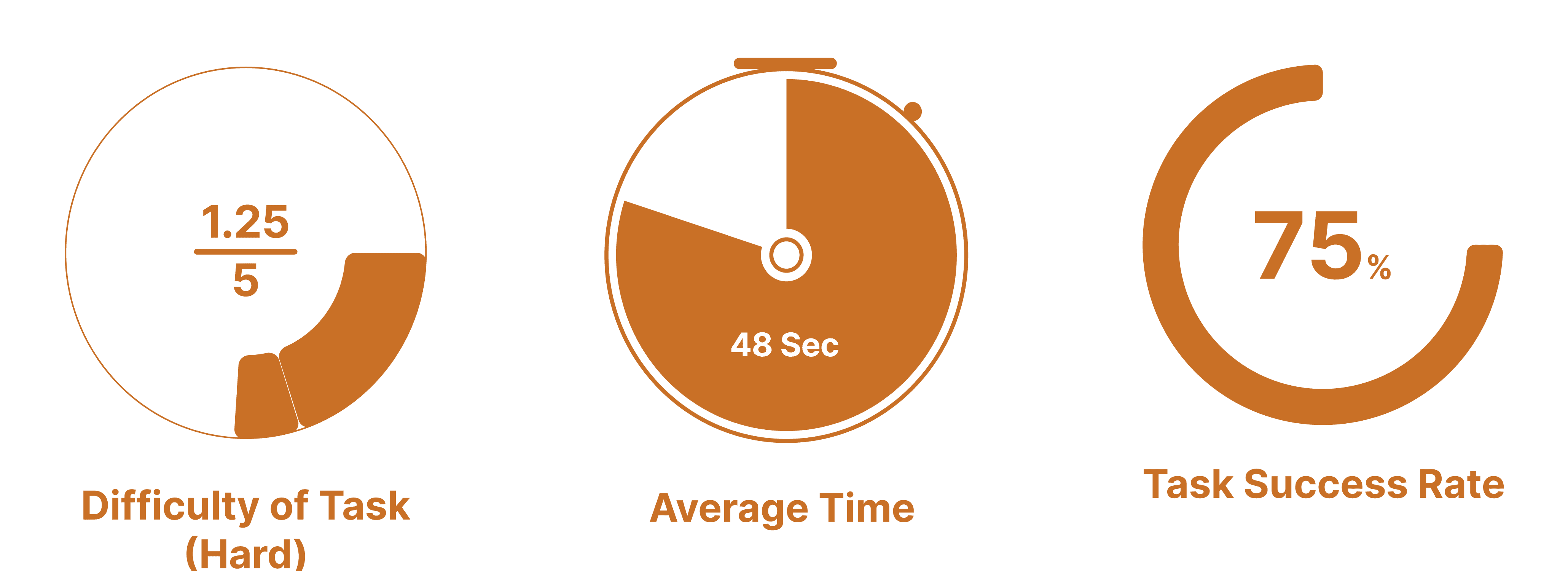
Scenario: Using MyUT homepage find your first course that shows up on the homepage. Can you find your syllabus for that first course without leaving the page?

Obervation
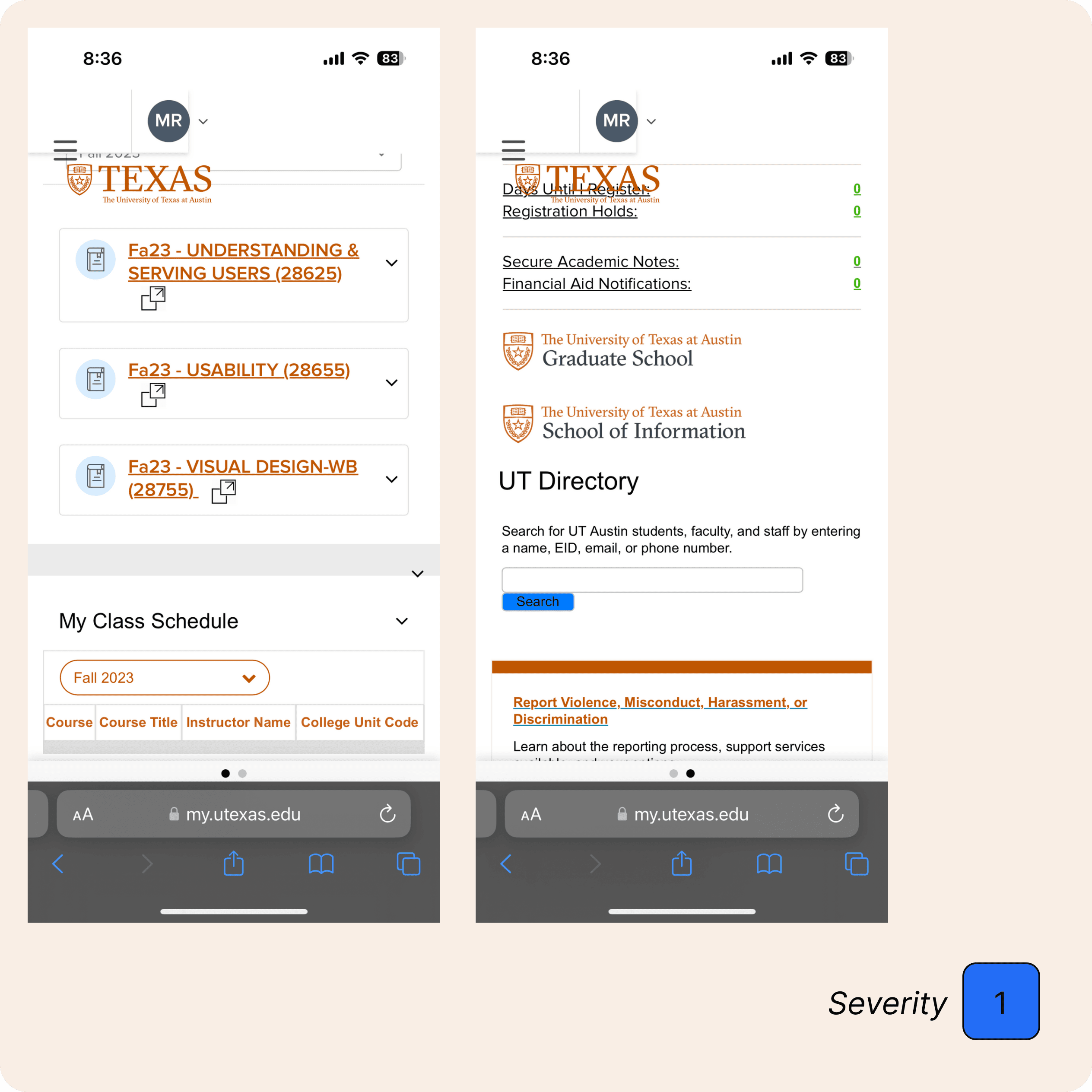
Some users were unaware of the horizontal scroll, and conflicting layouts based on updated iOS versions led to confusion, with users thinking the system was glitching or attributing errors to themselves. The horizontal scroll also conflicted with accessing the secondary page.
Recommendations
Vertical dropdowns menu would be efficient as its best to design with a vertical screen in mind.

Task 1
Task 2
Task 3
Task 4
Task 5
Task 6
SUS Analysis
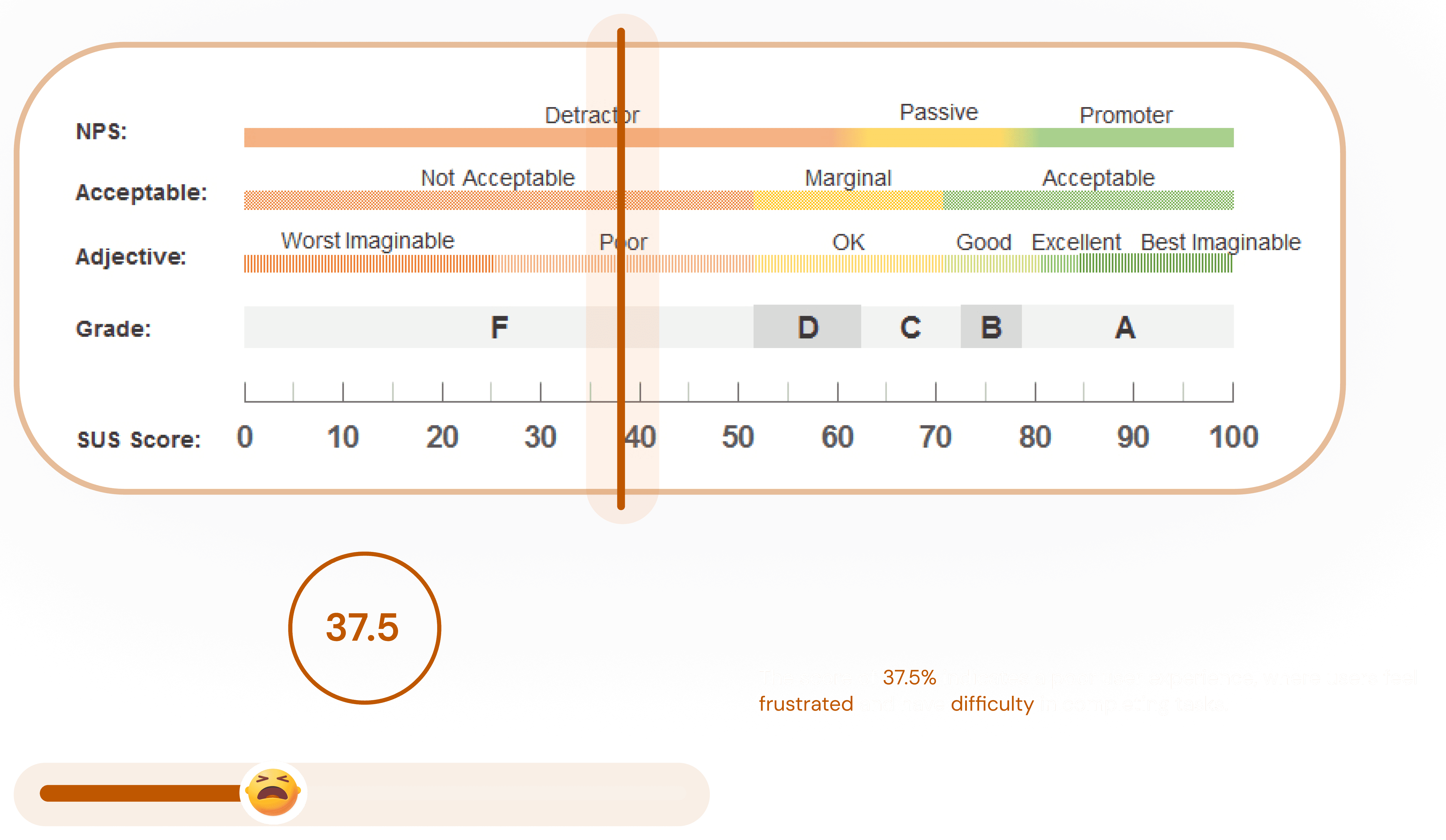
SUS Analysis was conducted to measure the overall user satisfaction with the product or service.
The SUS score provided a quantitative measure of the product's usability and user experience.
By analyzing the SUS score, we were able to compare the product's performance to industry benchmarks and identify areas for improvement.
Design Recommendations
Design Recommendations were provided to guide the product's development and improve its usability.
These recommendations were based on the insights gained from our usability evaluation, including user feedback, heuristic evaluations, and task analysis.
Condensed Text
Prioritize essential functions, remove redundant links, replace grey dots with a bright orange toggle, and add icons, quick search, and user history for easier navigation.